






























Pricing

Products

Blog
Contact Us
Pricing
Products
Blog
Contact Us
Last updated:
August 27, 2026
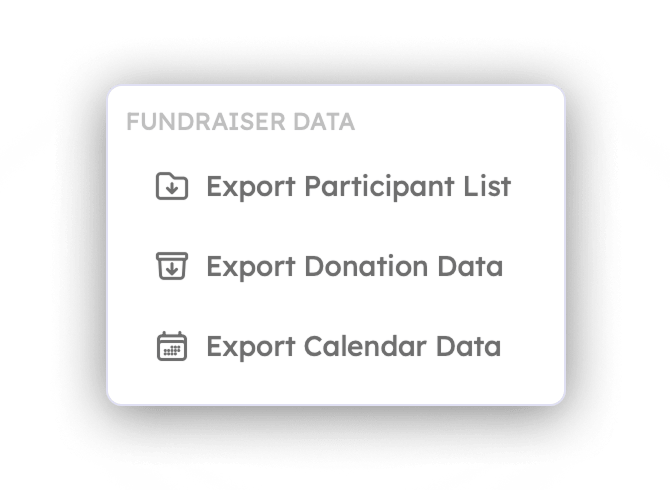
Every Teamfi fundraiser includes downloadable CSV reporting tools at no additional cost. Fundraiser administrators can easily export detailed campaign data to organize records, review performance, and track fundraising activity outside of the Teamfi dashboard. Reports can be downloaded at any time on the fundraiser dashboard and provide a clear breakdown of your fundraiser data. Current CSV reporting features include:
As a fundraiser administrator, Teamfi gives you easy access to the data behind your fundraiser, making it simple to track results, organize your records, and keep everything in one place.
Teamfi includes one-click downloadable CSV exports with every fundraising product at no additional cost.
Fundraising Product
Availability
Price
Downloading CSV reports from any Teamfi fundraiser is quick and easy. To download a report:
CSV reports can be downloaded at any point throughout your fundraiser, whether it is currently active or has already closed. This makes it easy to access participant, donation, and fundraiser-specific data whenever you need it for tracking, organization, or recordkeeping.
What CSV reports can I download from Teamfi?
Teamfi fundraiser administrators can download CSV reports for donation data and participant lists on every fundraiser. A-thon fundraisers also include pledge data, Calendar fundraisers include a Calendar Data export, andFill My fundraisers include a Fill My Data export.
When can I download CSV reports from my Teamfi fundraiser?
Once your fundraiser is started CSV reports can be downloaded at any time, whether the fundraiser is currently active or has already closed.
What information is included in Teamfi CSV exports?
Teamfi CSV exports can include participant names, groups, sign-up dates, contact counts, donation amounts, donor information, donor messages, and fundraiser-specific data. Pledge exports contain detailed pledge data for A-thon fundraisers. Calendar and Fill My exports can also include completed and remaining days or spaces for each participant.
Your team deserves 100%


Teamfi provides free fundraising software for school groups, sports teams, clubs, and nonprofits across the United States.