






























Pricing

Products

Blog
Contact Us
Pricing
Products
Blog
Contact Us
Last updated:
August 24, 2026
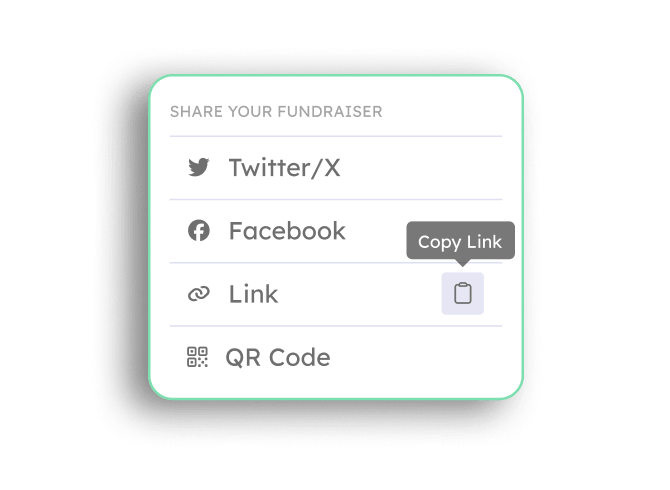
Every Teamfi fundraiser includes built-in sharing tools at no additional cost. Groups and participants can share their fundraising pages to social media, by link, or with a downloadable QR code. Each sharing tool carries the fundraiser's branding automatically. Current sharing options include:
These tools work alongside Teamfi's built-in SMS automation automatically, giving you all the tools necessary to maximize your fundraiser's potential.
Teamfi includes one-click social media sharing with every fundraising product at no additional cost.
Fundraising Product
Availability
Price
Sharing tools are available on every fundraising page from the moment a fundraiser goes live with no setup required. Here's how groups and participants use them:
Will sharing to social media include my organization's branding?
Yes! All the donation page sharing tools automatically include your organization's name, logo, and messaging to ensure that your post stands out on social media.
Do the one-click social media sharing tools have an additional cost?
Nope! All of Teamfi's fundraising features, sharing tools included, are completely free to use across all fundraising products: Crowdfunding, Calendar Fundraisers, A-thon Fundraisers, and Fill My Fundraisers.
Can participants share their own fundraising pages?
Yes, every participant gets a personal fundraising page with the same built-in sharing tools. Participants can post their page to social media, copy their link, or download a QR code, and and donations made via a shared link are tracked to the participant and credited toward their totals within the fundraiser.
Your team deserves 100%


Teamfi provides free fundraising software for school groups, sports teams, clubs, and nonprofits across the United States.