






























Pricing

Products

Blog
Contact Us
Pricing
Products
Blog
Contact Us
Last updated:
September 8, 2026
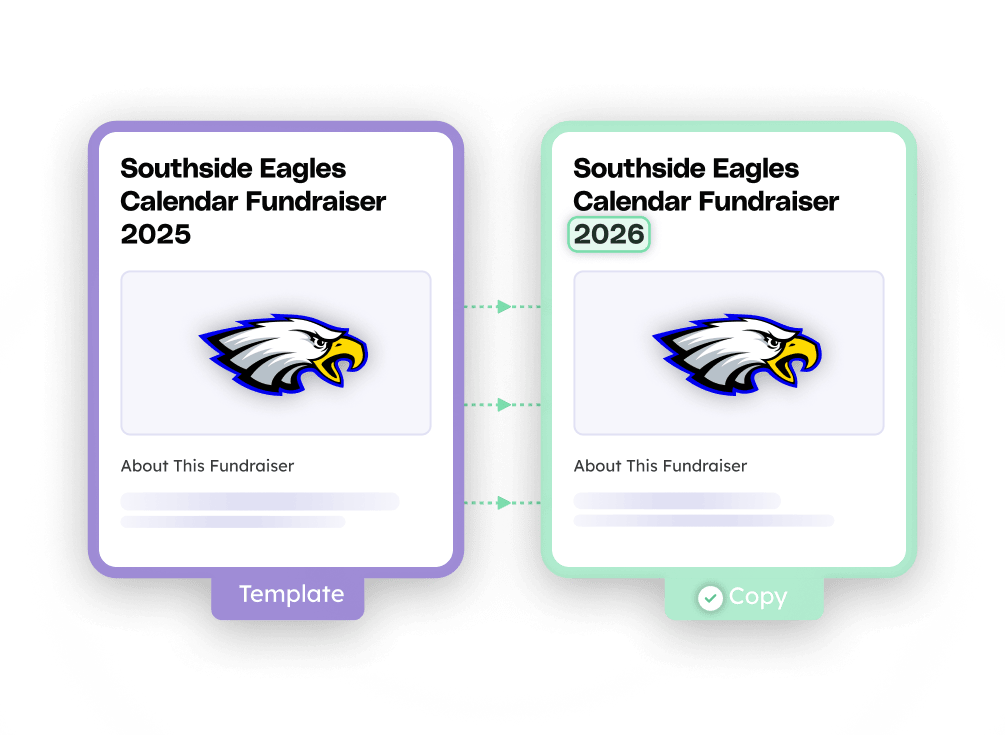
Fundraiser rollovers let you use any existing fundraiser — active or completed — as a template for your organization's next one. Instead of setting up from scratch, you create a new fundraiser in seconds that carries over your:
Your new fundraiser also matches the type of the original, whether that's a crowdfunding fundraiser, a-thon, calendar fundraiser, or Fill My Fundraiser.
Rollovers are built for sports teams, school groups, and clubs that fundraise every season or every year — your next campaign starts where the last one left off instead of from an empty form — saving you time and energy during fundraiser setup.
The Teamfi fundraiser rollovers feature is available to all fundraiser organizers completely free of charge on all digital fundraising products: Crowdfunding campaigns, Calendar Fundraisers, A-thon Fundraisers, and Fill My Fundraisers.
Fundraising Product
Availability
Price
Rolling over a fundraiser on Teamfi takes just a few steps:
And now you have a brand new fundraiser ready to go! Additionally, If you still need to make edits to your new fundraiser you can do that at any time.
What carries over when I roll over a fundraiser?
When you roll over a fundraiser, your new fundraiser copies the template's name, description, goal amount, and cover photo, plus the participants you select from the original. It also matches the fundraiser type of the template — crowdfunding, a-thon, calendar, or Fill My Fundraiser. Your new fundraiser starts fresh: donations, progress, and totals from the original don't carry over.
Can I roll over a fundraiser that's still active?
Yes. Any existing fundraiser (active or completed ) can be used as a template. Rolling over an active fundraiser doesn't affect the original; it keeps running unchanged while your new fundraiser is created separately.
Can I change details after rolling over a fundraiser?
Yes. Before your new fundraiser is created, you can update its name, goal, description, cover photo, and participant list. Everything from the template is a starting point, not a lock — you're confirming the details before anything goes live. Additionally, you can edit your newly created fundraiser at any time.
Your team deserves 100%


Teamfi provides free fundraising software for school groups, sports teams, clubs, and nonprofits across the United States.