Pricing

Products





























Blog
Contact Us
Pricing
Products
Blog
Contact Us
Fundraisers
Payouts
Learn how to select your fundraiser's payout option and get approved for your fundraiser's payout.
A important part of your fundraiser's onboarding process with Teamfi is choosing a payout method and getting approved for your fundraiser's payout. The first half of that process is simply choosing between whether you'd like your fundraiser's payout to be a:
To make this selection for your fundraiser, you will just need to first click "Select Payout Method" on the fundraiser status panel in your dashboard
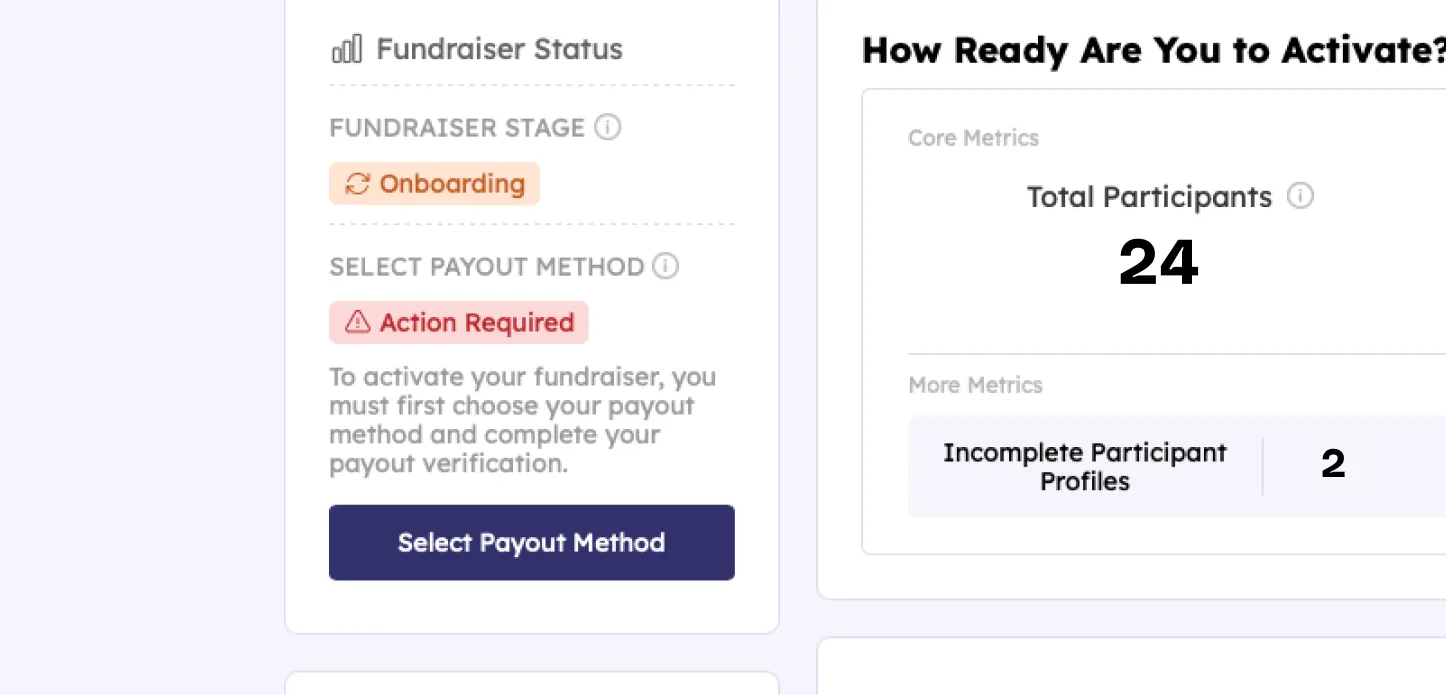
From there, clicking that button will open a modal with two options: check payout or direct deposit. To select one for your fundraiser just click the option and click "Confirm Payout Method" to save your selection.
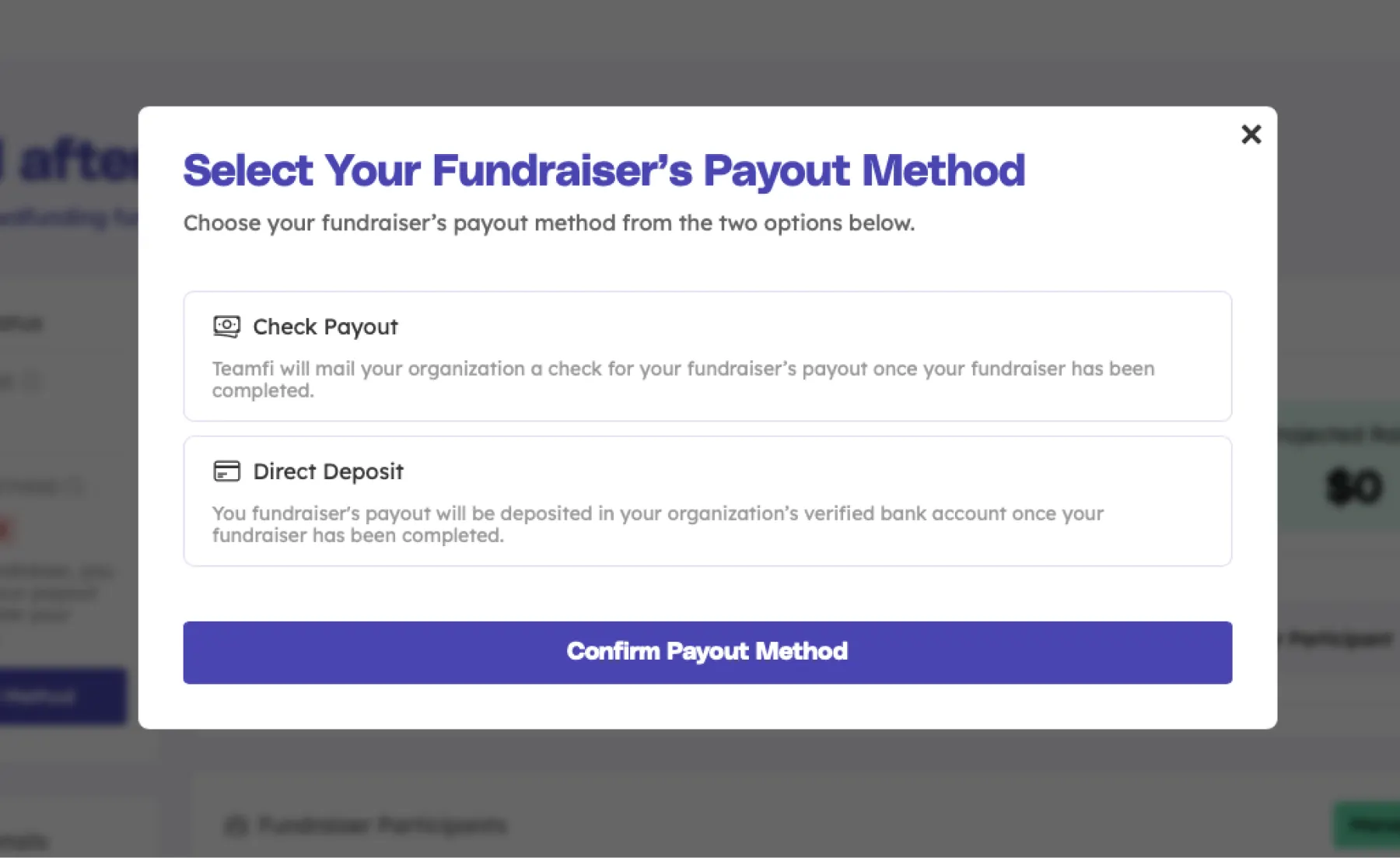
That is how you can select your payout method for you Teamfi fundraiser. Depending on your selection, the next steps for setting your fundraiser up for it's first payout look a little different depending on your payout choice. We will cover both processes here, starting with fundraisers that have selected a check payout.
Before your organization can launch your fundraiser and ultimately receive your fundraiser's check payout, you must first complete your payout verification. To do so, you will just click the "Complete Verification" button that will appear on your fundraiser status panel once confirming your check payout selection.
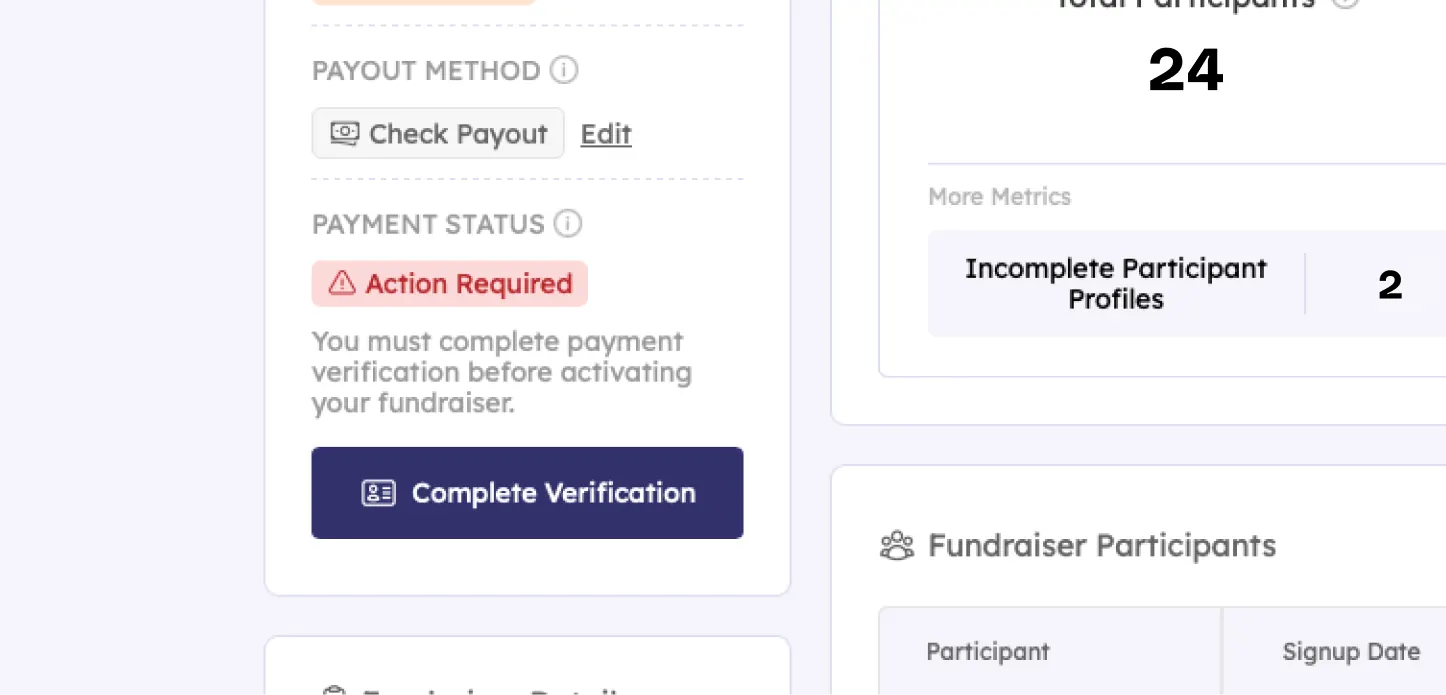
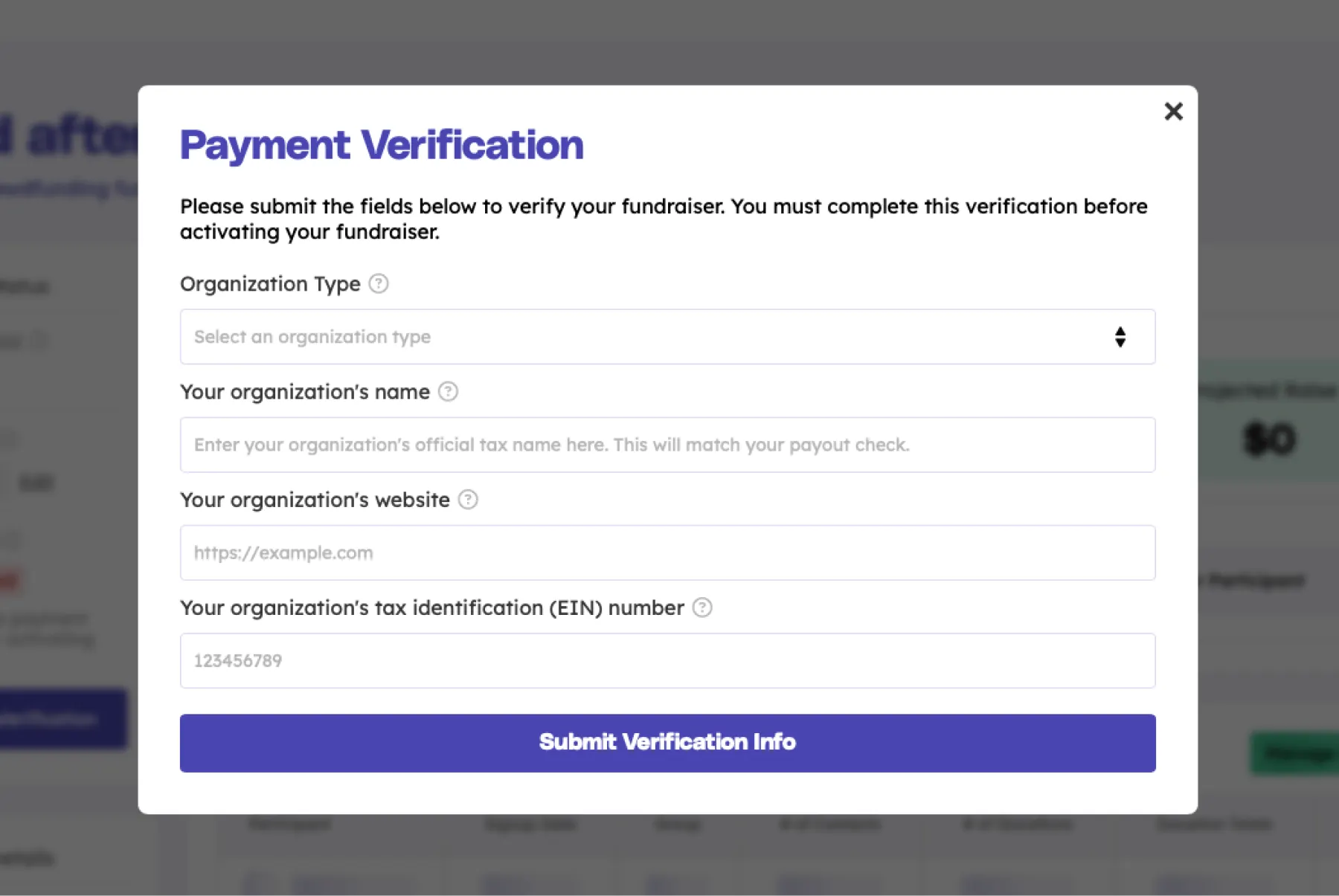
Once you click the the "Complete Verification" button for your fundraiser, that will open the Payment verification modal. To complete your fundraiser's payout verification you will just need to submit the following information for your organization:
Once you've added the proper information, you can submit it by clicking "Submit Verification Info" which will start your fundraiser's verification process. Once your fundraiser is approved for check payouts you will be able to activate your fundraiser and collect donations.
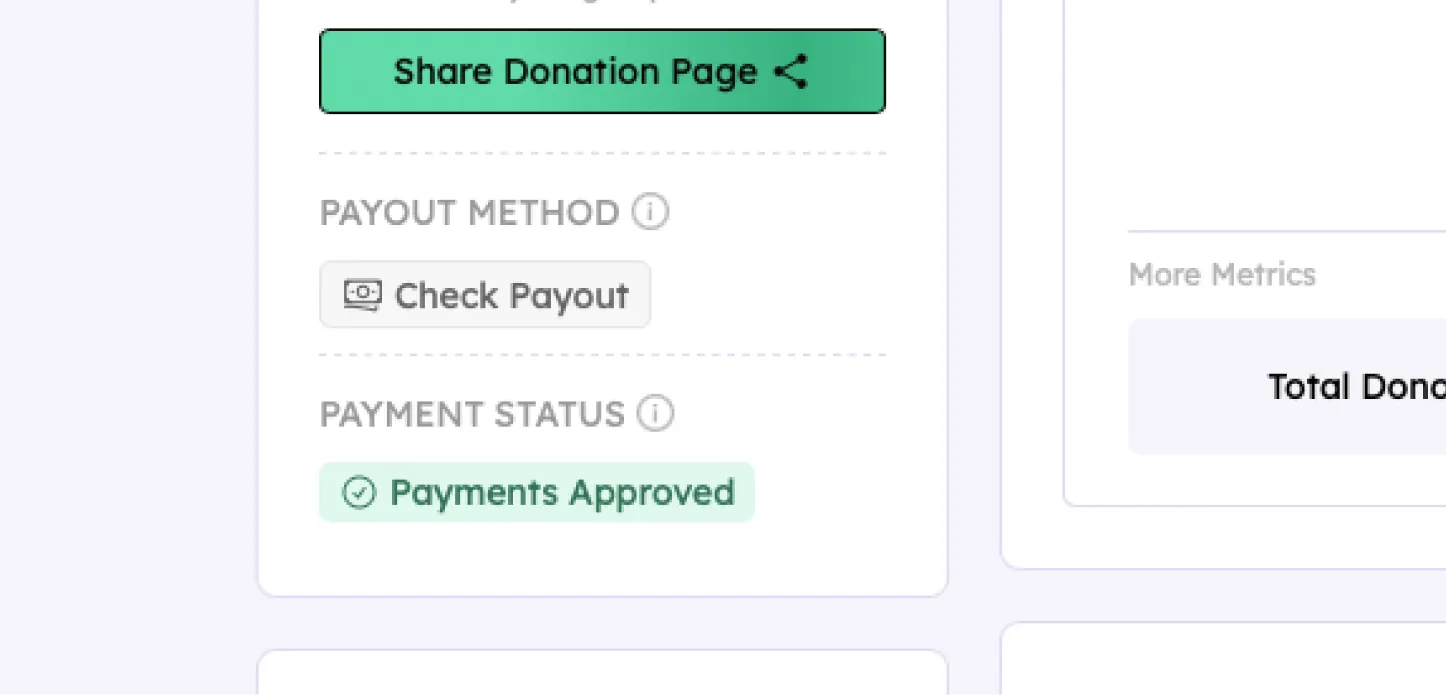
Once you have successfully and properly completed the payment verification form above your fundraiser status panel will now show a "Payments Approved" status for your fundraiser. This means your fundraiser is approved to collect donations and receive a check payout.
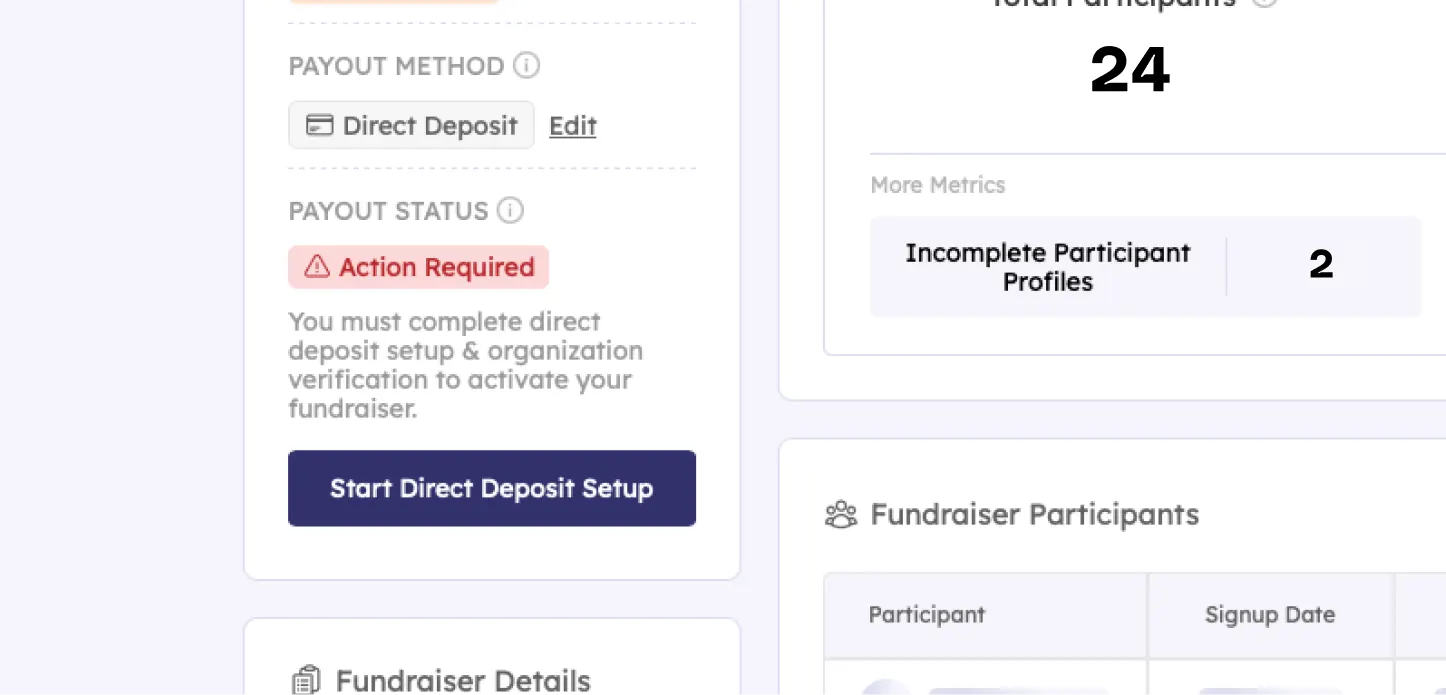
If your organization selects a direct deposit payout, you must first complete your direct deposit onboarding to verify your fundraiser and be able to receive your fundraiser's direct deposit payout. To do this, you will see a "Start Direct Deposit Setup" button on your fundraiser dashboard.
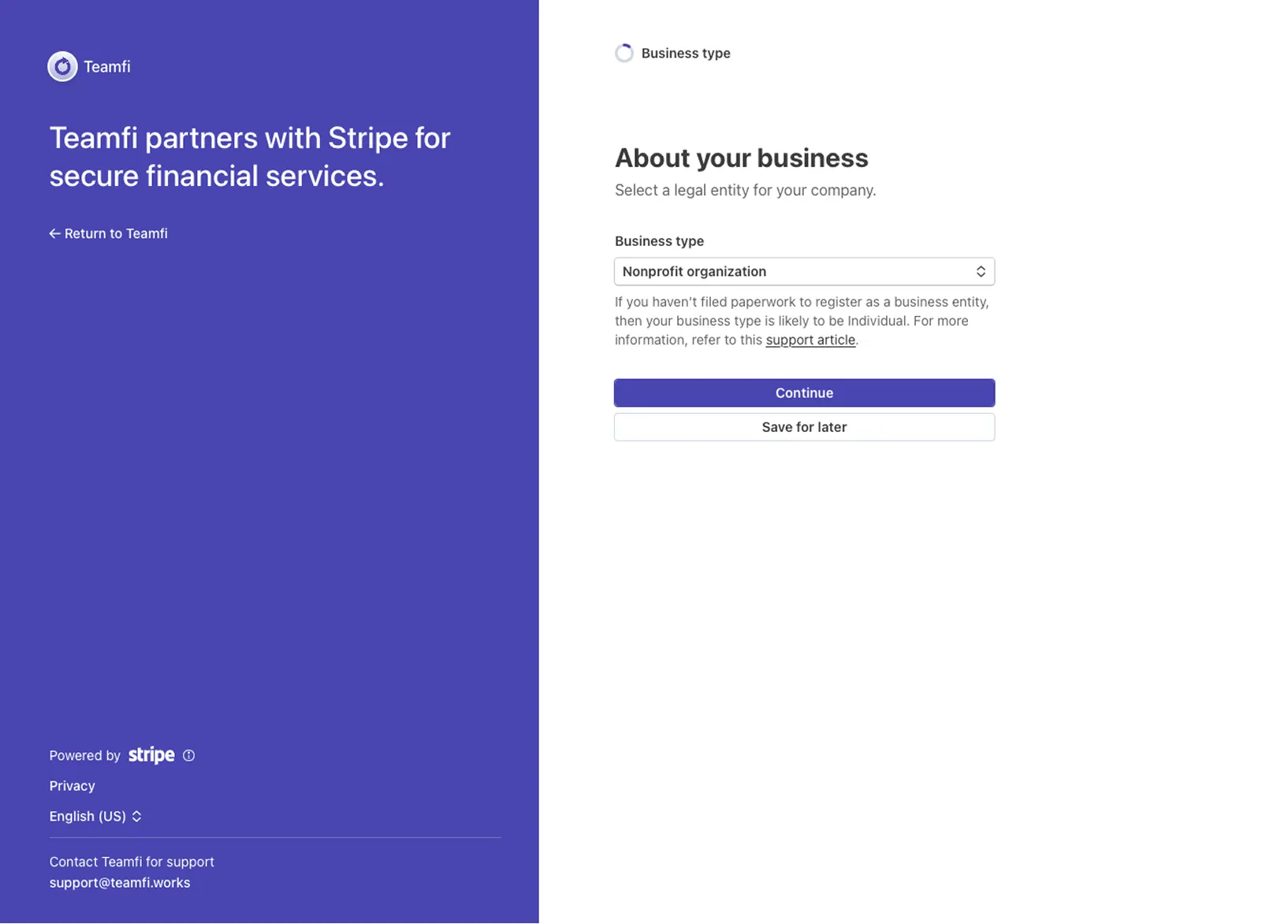
Once you click that button, you will be redirected to Stripe for secure verification of your organization and director deposit banking information setup – Teamfi partners with Stripe for secure financial services.
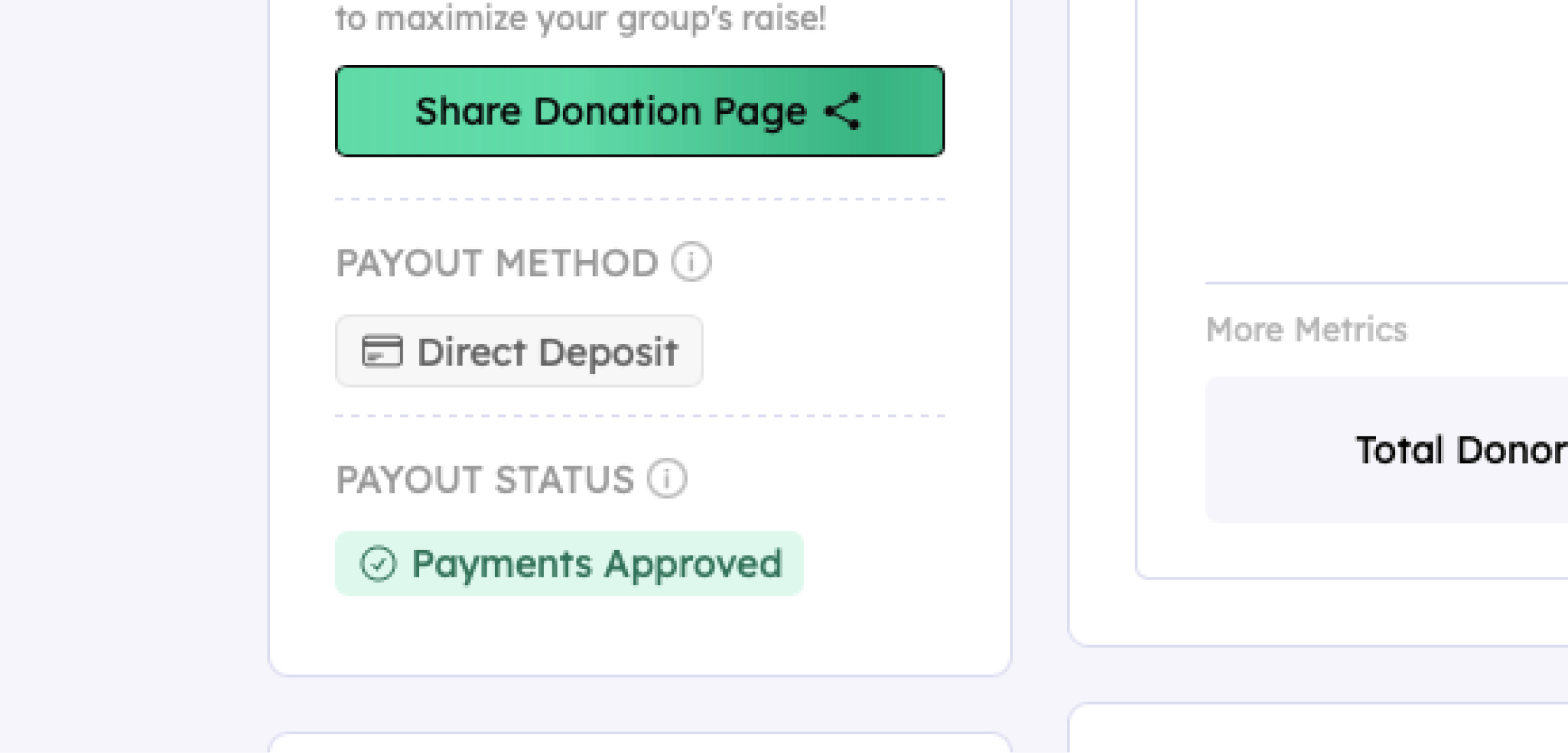
Upon successfully completing the Stripe direct deposit onboarding you will be redirected back to your fundraiser dashboard and your fundraiser status panel should now show a green "Payments Approved" badge. This means your fundraiser is approved to collect donations and receive a direct deposit payout.
Your team deserves 100%


Teamfi provides free fundraising software for school groups, sports teams, clubs, and nonprofits across the United States.